

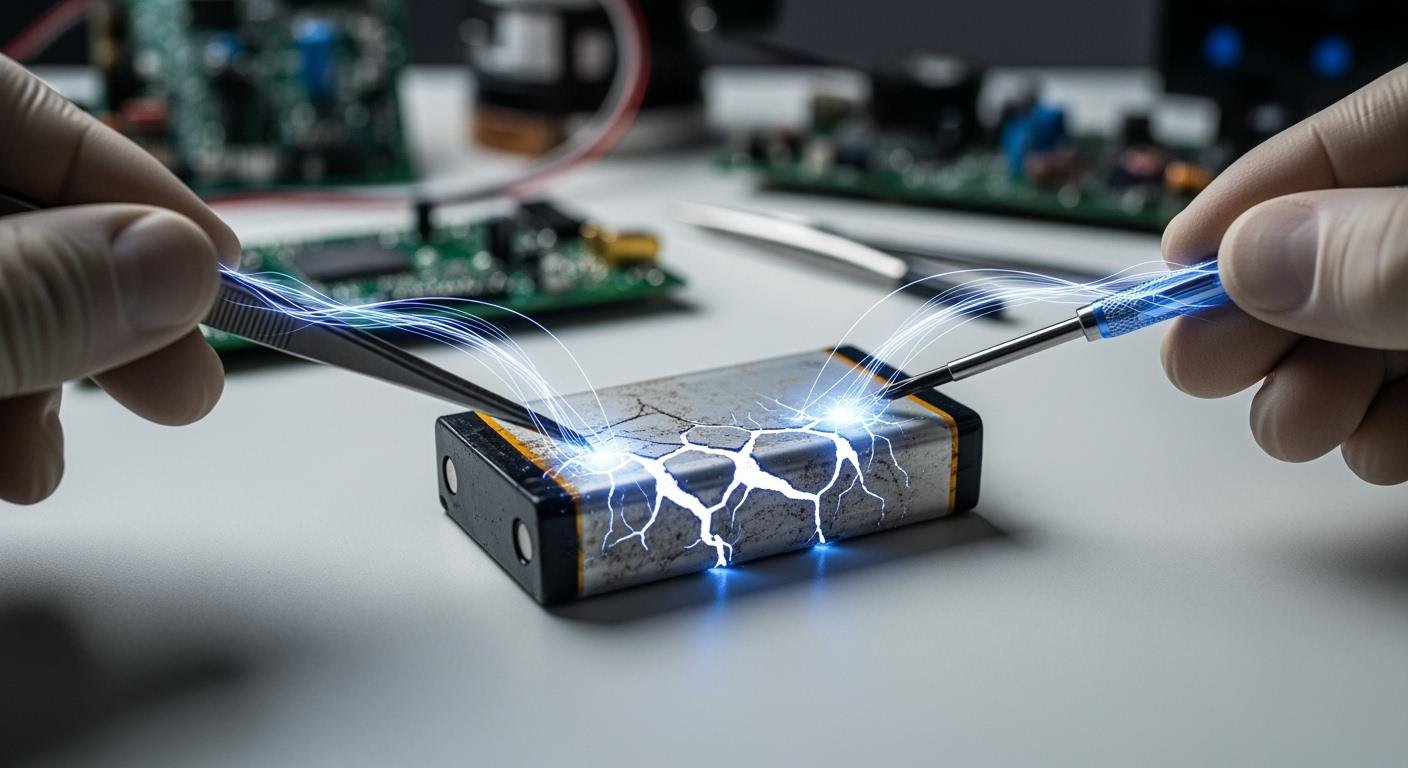
Can you revive a dead li-ion battery? While technically possible, you should not attempt it. The process is extremely dangerous and not recommended. You risk permanent battery damage, instability, and a high chance of fire.
The U.S. Consumer Product Safety Commission noted over 25,000 fire incidents from lithium-ion products in five years, highlighting the danger.
A lithium-ion battery contains a protection circuit. This feature stops the battery from charging at unsafe low voltages. Bypassing this safety mechanism is a major hazard.
Why You Can’t Charge a Dead Li-ion Battery
You cannot safely charge a dead li-ion battery because its internal chemistry has likely become unstable. The battery’s own safety features lock it out for a good reason. Attempting to force a charge bypasses these critical protections and introduces severe risks.
The Low-Voltage Cut-Off Explained
Your lithium-ion battery has a built-in protection circuit, often part of a Battery Management System (BMS). This system acts as a guardian for the battery’s health. It constantly monitors the charge level. If the voltage drops too low, the circuit cuts the power to prevent damage. This feature puts the battery into a “sleep” mode to save the last bit of energy.
Most standard lithium-ion cells have a low-voltage limit.
- Critical Level: Discharging below 2.0V is extremely dangerous.
- Absolute Minimum: The protection circuit usually activates around 2.5V.
- Recommended Cut-Off: Many devices stop drawing power at 2.8V to 3.0V to extend battery life.
When your device says the battery is empty, the voltage is low but still within a safe range. A truly “dead” battery has fallen below this protective threshold.
Risk of Internal Shorts: Copper Shunts
When a lithium-ion battery is over-discharged, dangerous changes happen inside. The copper components can start to dissolve. If you then try to recharge the battery, this dissolved copper can form tiny, sharp, needle-like structures called shunts.
These copper shunts can pierce the delicate separator between the battery’s internal layers. This creates an internal short circuit. A short circuit is a direct, low-resistance path for electricity, which can cause the battery to heat up uncontrollably. This hidden damage makes any attempt to revive a dead li-ion battery a gamble.
The Danger of Thermal Runaway
An internal short circuit is a primary trigger for thermal runaway. This is a violent and unstoppable chain reaction inside rechargeable lithium-ion batteries. The heat from the short circuit starts a process where the battery gets hotter and hotter on its own.
This heat spreads rapidly from one cell to its neighbors. In a battery pack with cylindrical cells, one failing cell can trigger up to six others around it. This cascade effect is incredibly fast and dangerous.
🔥 Advertencia: During thermal runaway, cell temperatures can skyrocket past 1000°C (1832°F). The resulting fire and release of toxic gases can cause serious injury or property damage.
Long-Term Effects on a “Revived” Battery
Even if you successfully revive your battery, it will never be the same. The process inflicts permanent damage, turning a once-reliable power source into an unpredictable and dangerous one. You trade a small cost saving for major long-term risks.
Permanent Capacity Loss
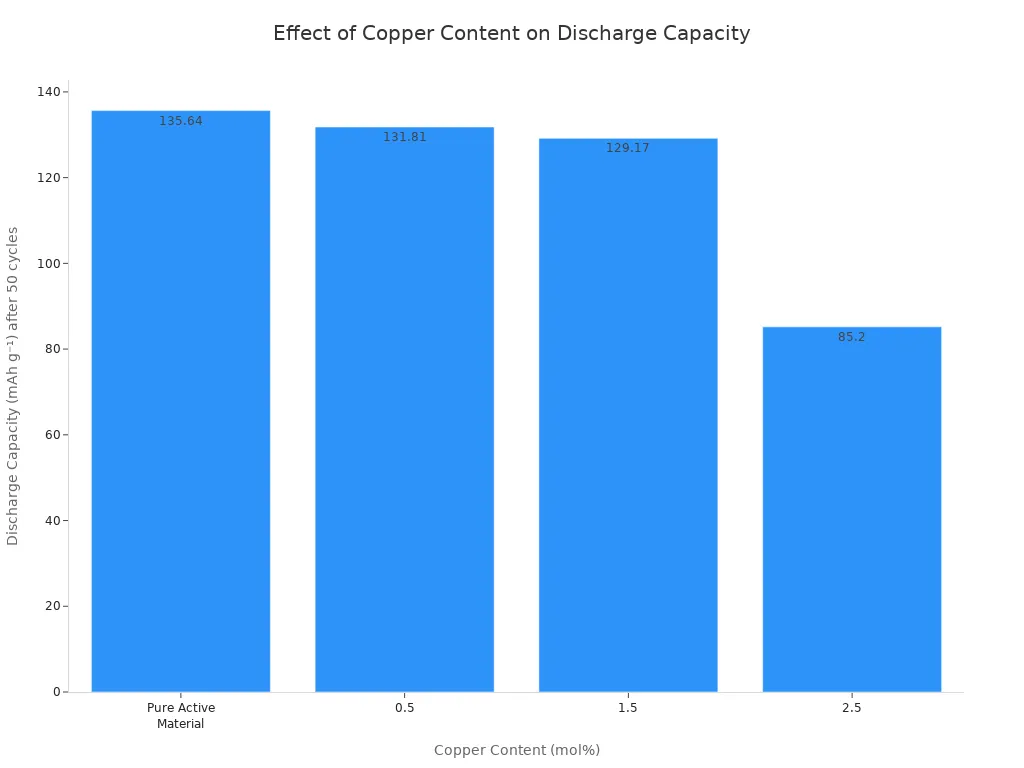
Deeply discharging a lithium-ion battery causes irreversible harm. During a deep discharge, the copper anode inside the battery begins to dissolve. When you force a charge, this copper doesn’t return to its original place. Instead, it plates onto the cathode, creating impurities that cripple the battery’s ability to store energy.
This damage directly reduces the battery’s total capacity. Research shows a clear link between copper contamination and capacity loss. The more damage from deep discharge, the less charge your battery can hold.
Unreliable Power and High Self-Discharge
A revived lithium-ion battery becomes very unreliable. One of the most noticeable problems is a high self-discharge rate. This means the battery loses its charge quickly, even when you are not using it.
- Healthy Battery: A healthy lithium-ion battery loses about 1-2% of its charge per month.
- Revived Battery: A battery revived from zero volts will have a much higher self-discharge rate, draining power rapidly on its own.
You might charge your device to 100%, only to find the battery nearly empty a day later without any use. This makes the battery impractical for any real-world application.
Hidden Dangers in Future Use
The most serious consequence is the hidden danger that remains. The revival process increases the battery’s internal resistance. High resistance acts like a bottleneck for electricity, causing the battery to generate significant heat every time you charge or use it.
⚠️ Advertencia: This constant overheating puts stress on the battery’s internal components. It dramatically increases the risk of a future thermal runaway event.
Your “fixed” battery is now a hidden hazard. It may work for a while, but the internal damage is a ticking time bomb, waiting to cause a fire when you least expect it.
Diagnosis and Revival Attempts
⚠️ Disclaimer: The following methods are for educational purposes only. Attempting to revive a dead lithium-ion battery is extremely hazardous. You accept all risks of fire, explosion, property damage, and personal injury. The only recommended action is to recycle the battery.
If you choose to proceed despite the warnings, you must first diagnose the battery’s condition. This will determine if a rescue is even theoretically possible.
Diagnosing a Dead Lithium-ion Battery
Before you connect any tool, you must perform a visual safety check. A damaged battery is a bomb waiting to go off. Look for these warning signs:
- Noticeable swelling, bulging, or deformation of the battery casing.
- Any cracks, punctures, or dents in the battery.
- Signs of leaking fluid or crystalline deposits on the surface.
- Discoloration from heat.
If you see any of these signs, STOP. Do not test the battery. Safely prepare it for recycling immediately.
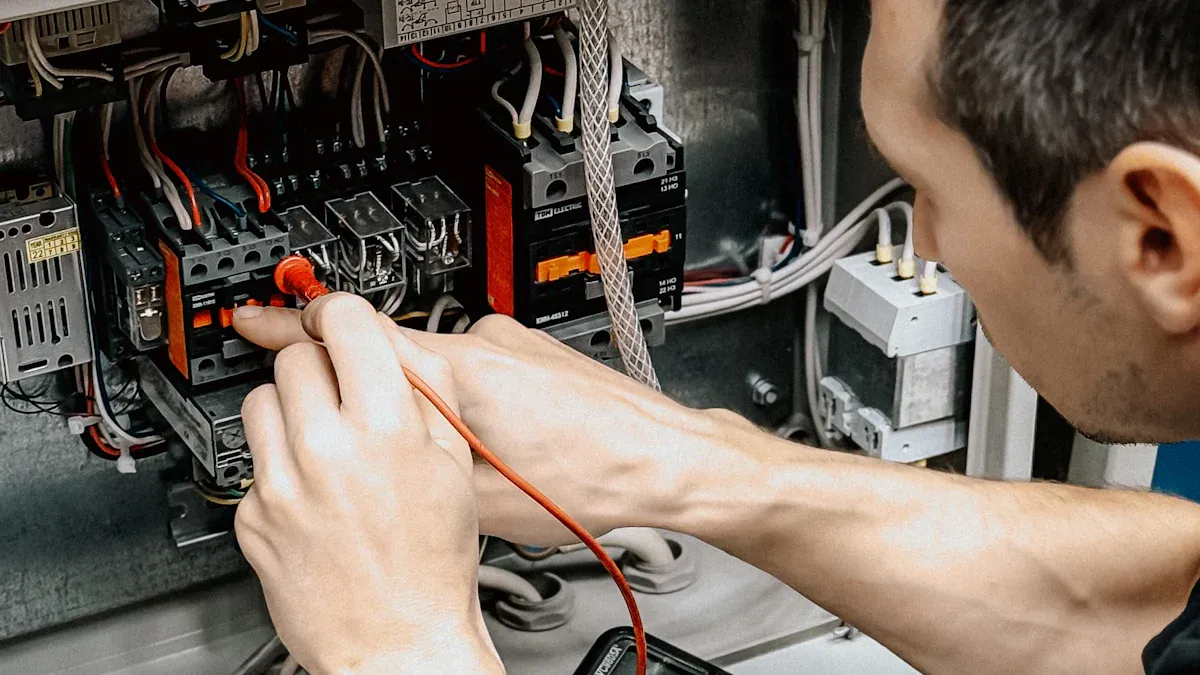
If the battery shows no physical damage, you can check its voltage with a multimeter.
- Set Up Your Multimeter: Plug the black probe into the ‘COM’ port and the red probe into the ‘VΩmA’ port. Turn the dial to the DC Voltage setting (V⎓), selecting the 20V range if your meter is not auto-ranging.
- Take a Reading: Carefully touch the red probe to the positive (+) terminal of the battery. Touch the black probe to the negative (-) terminal.
- Check the Voltage: Hold the probes steady until the number on the display stabilizes. This is the battery’s voltage.
Use this table to understand the reading. A rescue should only be considered in the “Deeply Discharged” state.
| Battery State | Voltage Level (per cell) | Safety Status |
|---|---|---|
| Unsafe | Below 1.5V | Extremely dangerous. Internal damage is almost certain. Do not attempt a rescue. |
| Deeply Discharged | 1.5V – 2.9V | Very risky. The protection circuit has tripped. A rescue attempt is possible but not recommended. |
| Healthy (Discharged) | 3.0V and above | The battery is in a normal, safe state. It should accept a charge from its standard charger. |
The “Boost” Charge Method
This technique, sometimes called a lithium-ion battery jump start, involves “waking up” the battery’s protection circuit. You use a specialized charger to apply a very small, controlled current. This slow trickle of energy can sometimes raise the voltage just enough for the standard charger to recognize the battery again.
You will need a lab-grade power supply or a smart hobby charger with a manual mode. These act as “dumb” chargers because they can ignore the battery’s protection circuit.
- Set the Current: Set the charger to a very low current, ideally between 50mA and 200mA. A slower charge is gentler and safer.
- Monitor Constantly: Connect the charger and watch the voltage on your multimeter. You are not trying to fully charge the battery this way.
- The Goal: Your only goal is to slowly raise the voltage above the 3.0V cutoff. This might take a few minutes.
- Switch to Normal Charging: Once the battery reaches 3.0V, immediately disconnect the boost charger. You can now try charging it with its original, approved charger.
This is a delicate rescue operation. Leaving the battery on a dumb charger for too long will overcharge it and lead to thermal runaway.
The Parallel Charging Method
This method involves connecting the dead li-ion battery directly to a healthy, charged lithium-ion battery of the same type. The idea is that the healthy battery will charge the dead one.
🔥 DO NOT ATTEMPT THIS METHOD. It is the most dangerous and reckless way to try and revive your battery.
When you connect the two batteries, the healthy one will discharge a massive, uncontrolled amount of current into the dead one. This high-current rush instantly overloads the damaged internal components of the dead battery, almost guaranteeing a short circuit, fire, and explosion. This is not a lithium-ion battery jump start; it is an almost certain way to start a fire.
Essential Safety Protocols
If you ignore all warnings and attempt a battery rescue, you must treat the situation like a dangerous chemical experiment. Failure to follow strict safety protocols can have catastrophic consequences.
1. Create a Fire-Resistant Workspace
- Work outside on a non-flammable surface like concrete, far away from anything that can burn.
- Do not work indoors, in a garage, or on a wooden workbench.
- Keep a bucket of sand or a proper fire extinguisher nearby.
2. Use Personal Protective Equipment (PPE)
- Eye Protection: Wear safety goggles at all times.
- Hand Protection: Use flame-resistant gloves designed for handling electronics or chemicals.
3. Have the Correct Fire Extinguisher
You cannot put out a lithium-ion battery fire with water or a standard ABC fire extinguisher. Using the wrong type can cause an explosion. You must have a Class D fire extinguisher, which uses agents like copper powder or graphite to smother the fire and absorb heat.
4. Never Leave the Battery Unattended
- Constant, direct supervision is mandatory during any rescue attempt.
- If the battery starts to get warm, make any noise, or swell, disconnect it immediately and move it to a safe location.
Your safety is worth more than any battery.
You can see that reviving a dead li-ion battery creates a permanently damaged and unsafe power source. The risk of fire and property damage far outweighs any small savings. Insurers report that lithium-ion battery fires now account for 18% of high-value home insurance claims, a number that has doubled in five years. Your only truly safe choice is to recycle the failed lithium-ion battery. You should then purchase a new battery for your device.
PREGUNTAS FRECUENTES
Can I use a car battery to jump-start a li-ion battery?
⚠️ No. A car battery delivers far too much power. This action will destroy the small lithium-ion battery and likely cause an immediate fire. Never connect a car battery to any small electronics battery.
What if my battery is just a little below the safe voltage?
Any battery below 2.9V is risky. The battery’s protection circuit has already activated for safety. Forcing a charge on this battery is still very dangerous. You can cause permanent damage to the battery.
Is it safe to use a revived battery just once?
No. A revived battery is unstable from the start. The internal damage makes the battery a fire risk with every use. The battery could fail dangerously at any moment, even on the first charge.
How do I safely get rid of a dead battery?
♻️ You should recycle the dead battery. Look for local e-waste recycling centers. Many electronics stores also accept a used battery for recycling. Do not throw any battery in the regular trash.
 EN
EN ES
ES FR
FR DE
DE RU
RU ZH
ZH