

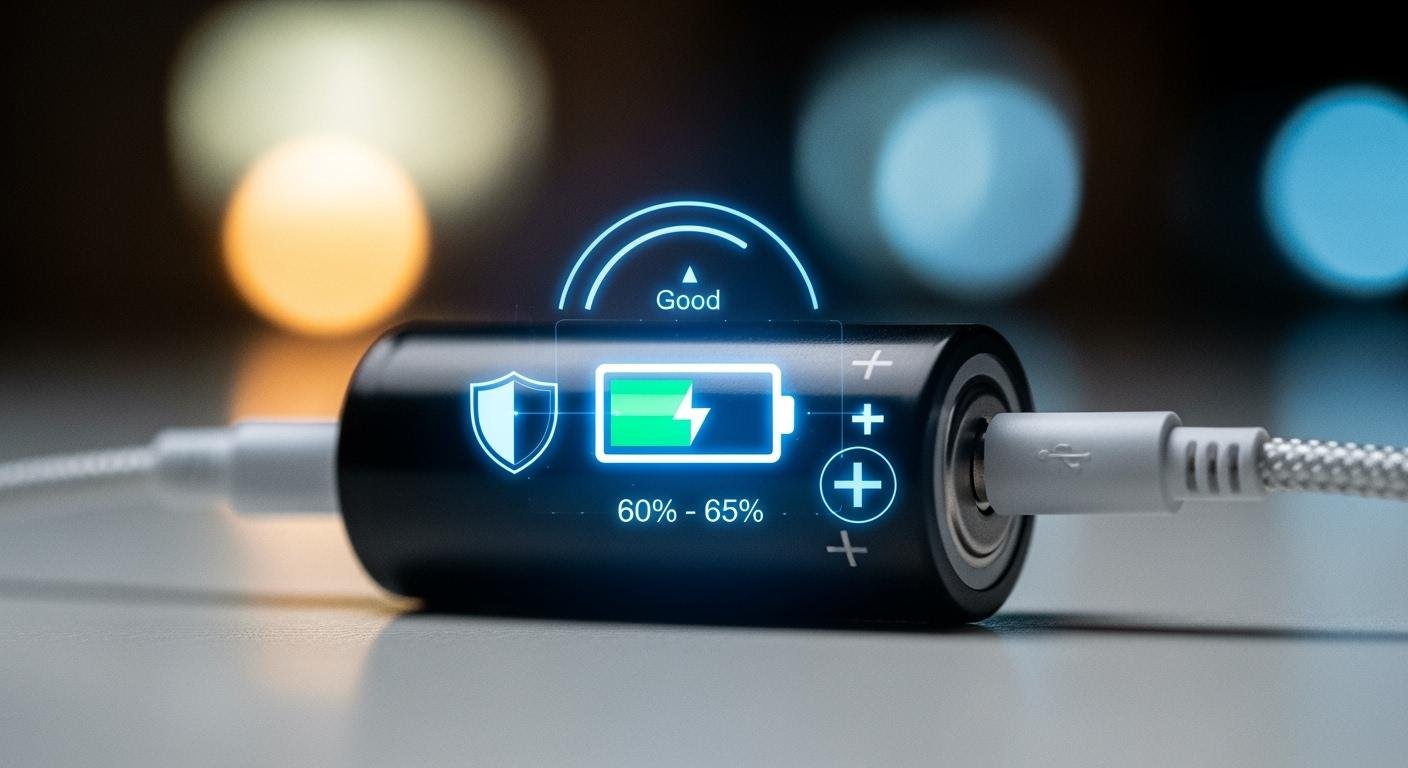
You probably use devices with lithium-ion batteries every day. They power a huge range of electronics, from smartphones to laptops.
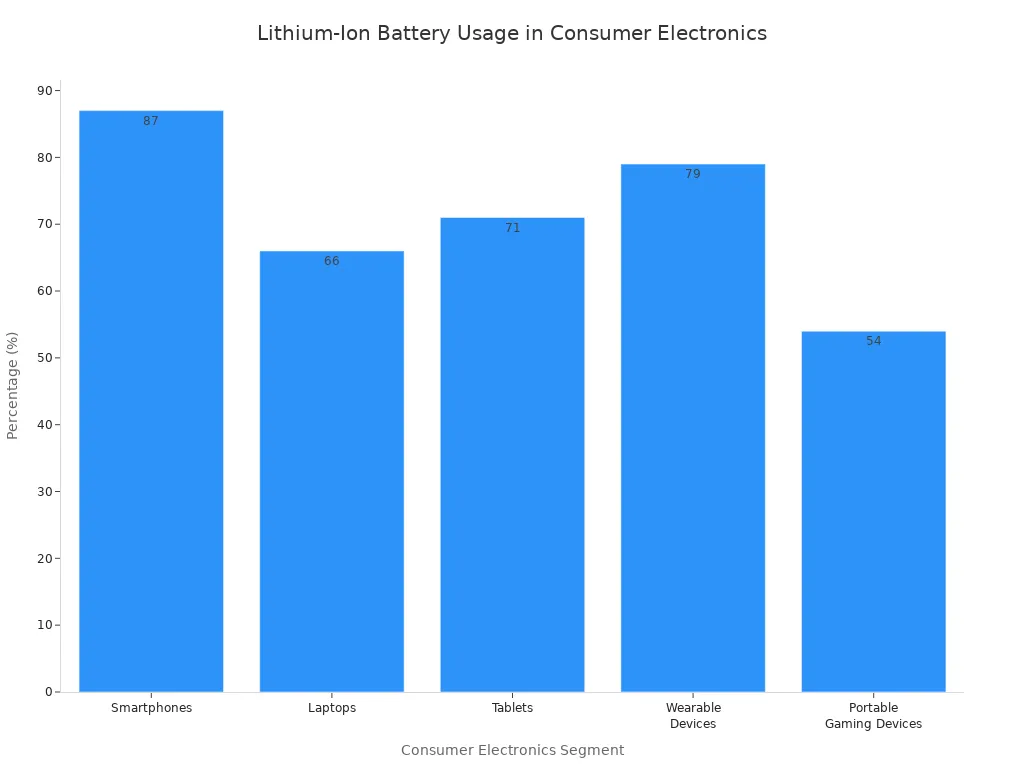
The secret to properly charge a lithium-ion battery for a long life is simple. You should aim to keep its charge level between 20% and 80%. Mastering a few habits for charging lithium batteries will help you get the most out of your devices. The market for these batteries is growing rapidly, making this knowledge more valuable than ever.
| Metric | Value |
|---|---|
| Projected Market Size by 2032 | USD 578.20 billion |
| CAGR (2025-2032) | 23.22% |
Lithium-Ion Battery Charging Best Practices
You can significantly extend your battery’s lifespan by adopting a few simple habits. These best practices reduce stress on the battery’s internal components. Think of them as guidelines, not strict rules. Following them most of the time will make a big difference in your device’s long-term health and charging performance.
The 20-80% Rule
The most effective habit for charging lithium batteries is to keep the charge level between 20% and 80%. Lithium-ion batteries experience the most chemical stress when they are fully charged or completely empty. Operating within this middle range keeps the battery in its comfort zone.
You do not need to charge your battery to 100% to get more use out of it. In fact, charging to a slightly lower voltage can dramatically increase its total number of charge cycles.
- Charging to 4.1V (around 90%) can double its cycle life.
- Charging to 4.0V (around 80%) can quadruple its cycle life.
- Charging to 3.92V (around 70%) can increase its cycle life by up to 8 times.
Tipp: Many modern devices offer a “smart battery charging” feature. This function automatically stops the charging process around 80% to protect the battery. You should enable this setting if your device has it.
Avoid Extreme Temperatures
Heat is the number one enemy of lithium-ion batteries. You should always avoid charging or leaving your device in hot environments, like a car on a sunny day. High temperatures accelerate the chemical reactions inside the battery, causing permanent damage.
Charging your device in temperatures above 35°C (95°F) can permanently reduce its capacity. This happens because heat causes harmful layers to grow on the internal parts, blocking lithium ions from moving freely. The table below shows how much faster your battery can age in the heat.
| Betriebstemperatur | Estimated Lifespan Reduction |
|---|---|
| 25°C (77°F) | Baseline (Normal Aging) |
| 35°C (95°F) | Up to 20% reduction |
| 45°C (113°F) | Up to 50% reduction |
Cold temperatures are also a problem. You should never charge a lithium-ion battery below 0°C (32°F). Doing so can cause irreversible damage called lithium plating. For the best charging practices, try to charge your device in a room-temperature environment between 15°C and 30°C (59°F and 86°F).
Avoid Deep Discharges
You should avoid letting your battery drain to 0% regularly. A deep discharge puts significant strain on the battery. When a battery is completely empty, its internal resistance increases.
| State-of-Charge (SoC) | Internal Resistance (mΩ) |
|---|---|
| 0% | 270 |
| 70% | 250 |
This higher resistance means the battery has to work harder to accept a charge, which generates more heat and stress. It is much healthier to plug your device in when it reaches around 20%. This simple step prevents the battery from entering a high-stress, low-voltage state.
Avoid a Constant 100% Charge
Keeping your battery plugged in at 100% for long periods is also harmful. At a full charge, the battery’s components are under high voltage stress. Imagine the battery’s materials are like a sponge. At 100%, the sponge is completely full and struggles to hold any more lithium ions.
This high-stress state accelerates unwanted chemical reactions. These reactions can cause active lithium to become permanently lost, reducing the battery’s total capacity. Storing a battery at 100% charge causes much faster degradation than storing it at a partial charge.
| Storage Condition (at 40°F) | Annual Capacity Loss |
|---|---|
| 30% Charge | 2% |
| 100% Charge | 5% |
If you use a laptop that is always plugged in, check if it has a battery care mode. This setting limits the charge to around 80%, protecting it from the stress of a constant full charge. This is a key part of properly charging lithium batteries for longevity.
How to Charge a Lithium-Ion Battery

Knowing the best practices is one thing. Applying them with the right tools and techniques is another. These practical methods for charging lithium batteries will help you maintain your device’s health during daily use and long-term storage.
Verwenden Sie das richtige Ladegerät
Sie sollten always use the charger that came with your device. Manufacturers design these chargers to provide the perfect amount of power for safe charging. They ensure the battery receives the correct voltage and stops charging at the right time, preventing damage. If you need a replacement, choose a high-quality, certified alternative from a reputable brand. Whether you use an ac adapter to charge a lithium battery at home, dc power to charge a lithium battery in your car, or a usb port to charge a lithium battery from your computer, quality matters.
Generic, uncertified chargers often cut corners on safety and performance. This can lead to serious risks.
- They can cause fires or explosions.
- They may lead to thermisches Durchgehen, an uncontrollable temperature rise.
- They often fail to prevent overcharging, which can make a battery swell or overheat.
The difference in quality is significant. A manufacturer’s charger is built to last and protect your device, while a generic one is not.
| Merkmal | Original Manufacturer Charger | Generic Charger |
|---|---|---|
| Internal Build | Robust hardware for safety | Minimal safety hardware |
| Power Regulation | Stable and precise | Often unstable |
| Shell Durability | Very strong and durable | Flimsy and easy to break |
Charging While Using Your Device
You can use your device while it is charging, but you should avoid demanding tasks. Using your phone or laptop for gaming or video editing while plugged in creates extra heat. This heat, combined with the normal warmth from charging, can speed up battery degradation. Modern devices have thermal management systems to prevent overheating. However, keeping the device cool is one of the best methods for charging lithium batteries to ihre Lebensdauer zu verlängern. For laptops that are always plugged in, enabling a smart battery charging feature to limit the charge to 80% is a great idea.
Long-Term Battery Storage
If you plan to store a device for several months, you should prepare its battery correctly. Do not leave it fully charged or completely empty. The ideal way to charge a lithium-ion battery for storage is to a level between 40% and 60%. This middle range minimizes chemical stress and slows down aging.
Storage Tip: Store your device in a cool, dry place, ideally between 15°C and 25°C (59°F and 86°F). A battery will self-discharge about 2-3% pro Monat, so check it every few months. If the charge drops near 20%, recharge it back to the 40-60% range. This is how to charge lithium batteries for maximum longevity when not in use. You can even use solar panels to charge a lithium battery to this optimal level if you are off-grid.
Common Charging Myths Debunked
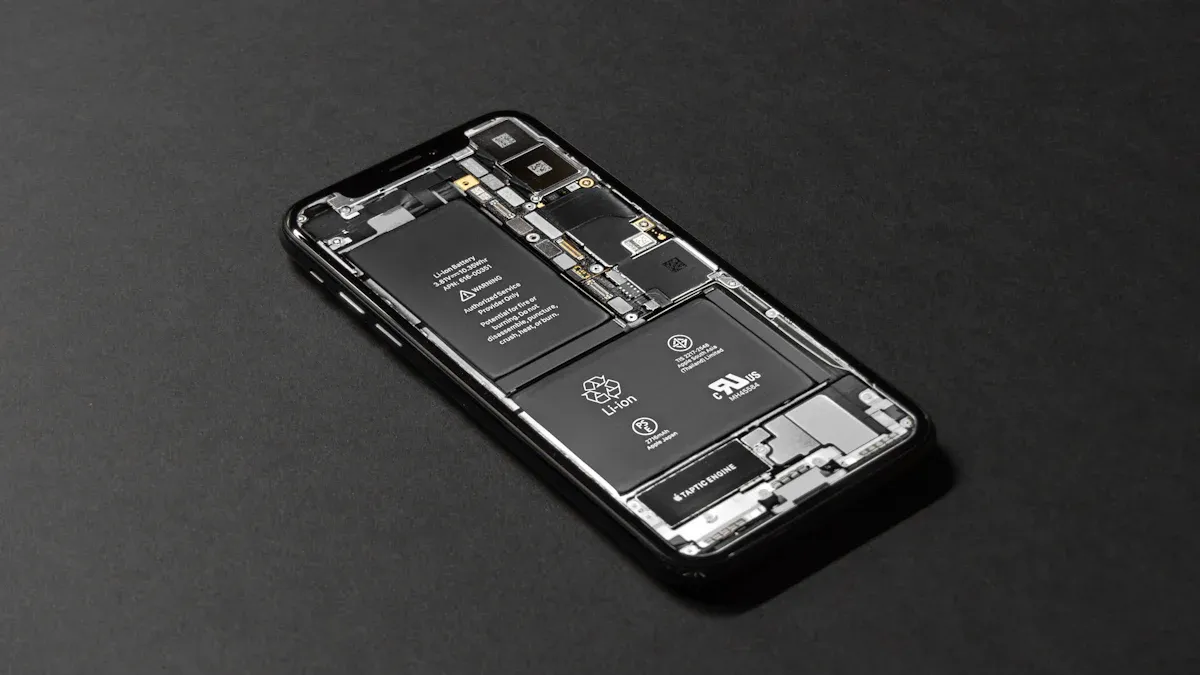
Many old battery rules no longer apply to modern devices. You can improve your charging habits by understanding the truth behind these common myths.
Myth: The New Battery Memory Effect
You may have heard that you must fully drain your battery before recharging it. This idea comes from the “Memory-Effekt.” This was a real problem for older Nickel-Cadmium (NiCad) batteries. Their chemistry caused large crystals to form inside, which reduced the battery’s total capacity over time.
This memory effect does not apply to modern lithium-ion batteries. Their internal chemistry is different and does not form these damaging crystals. This key advantage allows you to charge your device whenever it is convenient, without worrying about reducing its capacity.
- You can recharge your battery after only a partial discharge.
- The battery will still retain its full capacity.
- This flexibility makes them perfect for today’s electronics.
Myth: Overnight Charging Destroys Batteries
Leaving your phone plugged in overnight will not destroy its battery. This is another myth from the past. Modern electronics are smart enough to protect themselves from overcharging. Your device contains a “brain” called a Batterie-Management-System (BMS).
The BMS acts as a safety guard for your battery. It constantly monitors the battery’s voltage and temperature. Once the battery reaches 100%, the BMS automatically cuts off the charging current.
The BMS is a protection circuit. It stops the flow of power to prevent overcharging. This protects your battery from damage and dangerous conditions like overheating.
Your device simply draws power directly from the charger to stay on, bypassing the battery completely. While it is still best to avoid keeping it at 100% all the time (as per the 20-80% rule), you do not need to worry about causing immediate damage by charging it overnight.
You now know how to properly charge a lithium-ion battery for a long life. Following these simple best practices for charging lithium batteries will help your devices last longer.
Here are the key takeaways:
- 🎯 Aim for a 20-80% charge level.
- 🔌 Use the original or a certified charger.
- ☀️ Avoid extreme heat and cold.
Adopting these habits protects your lithium-ion batteries. You can enjoy reliable performance for years to come.
FAQ
Can I use a fast charger on my battery?
You can use a fast charger if your device supports it. Fast charging often creates more heat than standard charging. This extra heat can slowly reduce your battery’s total lifespan. Slower charging is generally healthier for long-term battery performance.
How many years does a lithium-ion battery last?
A typical lithium-ion battery lasts about 2 to 3 years. This usually equals 300 to 500 full charge cycles. After this period, the battery’s capacity to hold a charge will noticeably decrease. Your good charging habits can help extend this lifespan.
Is it bad to charge my phone in small bursts?
No, charging in small bursts is perfectly fine. Lithium-ion batteries do not suffer from the “memory effect” of older batteries. You can plug your device in for short periods whenever it is convenient. This flexibility is a key advantage of modern battery technology.
What happens if I don’t use my device for a long time?
A stored battery will slowly lose its charge over time. You should never let it drain completely to zero, as this can cause damage.
For long-term storage, charge the battery to around 50%. Store the device in a cool, dry place to best preserve its health.
 EN
EN ES
ES FR
FR DE
DE RU
RU ZH
ZH